WordPress Security Plugin – Nimble Security
Nimble Security
Two-factor authentication, integrity monitoring, a web application firewall, local malware scanning, quarantine and incident response — running entirely on your own server. No telemetry, no cloud dependency, nothing to sign up for.
The whole protection layer, at no cost
Nimble Security Free owns every enforcement engine on your site. There is no licence to enter and no account to create. If you never buy Pro, nothing here is held back from you.
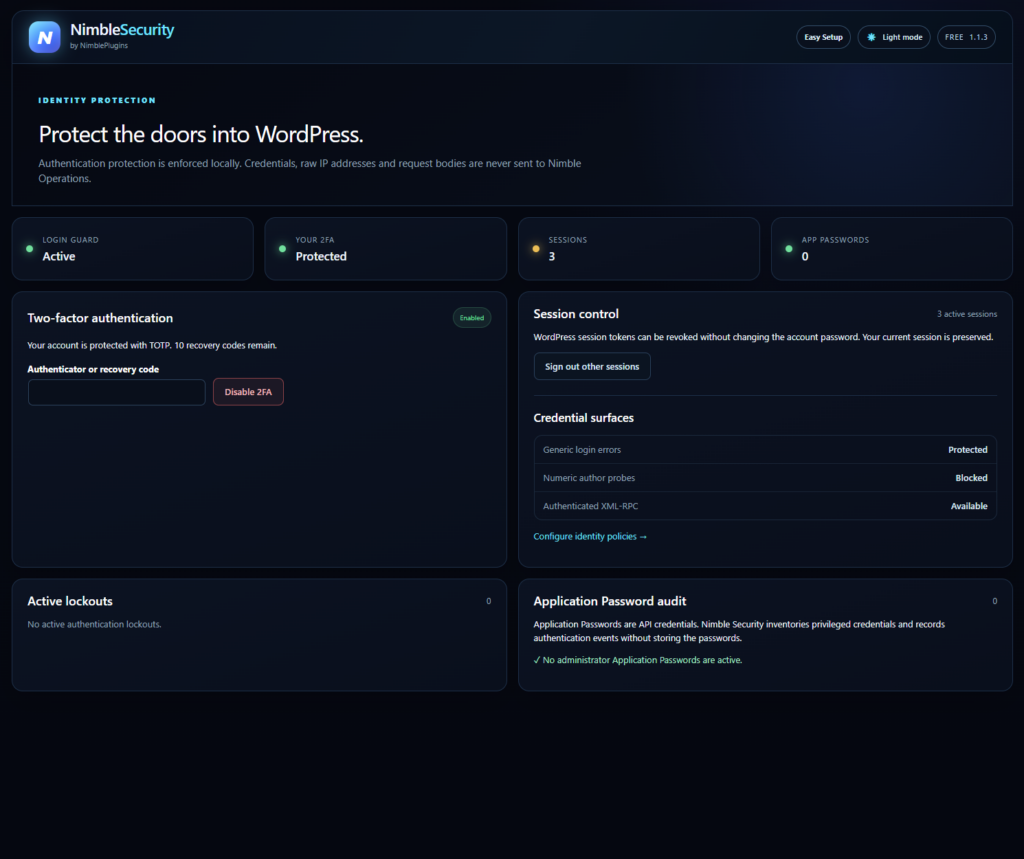
- Brute-force lockouts with generic login errors, so an attacker cannot tell a wrong username from a wrong password
- Two-factor authentication with encrypted secrets, local QR enrolment, ten single-use recovery codes and replay protection
- Session control and application-password auditing, with optional XML-RPC shutdown
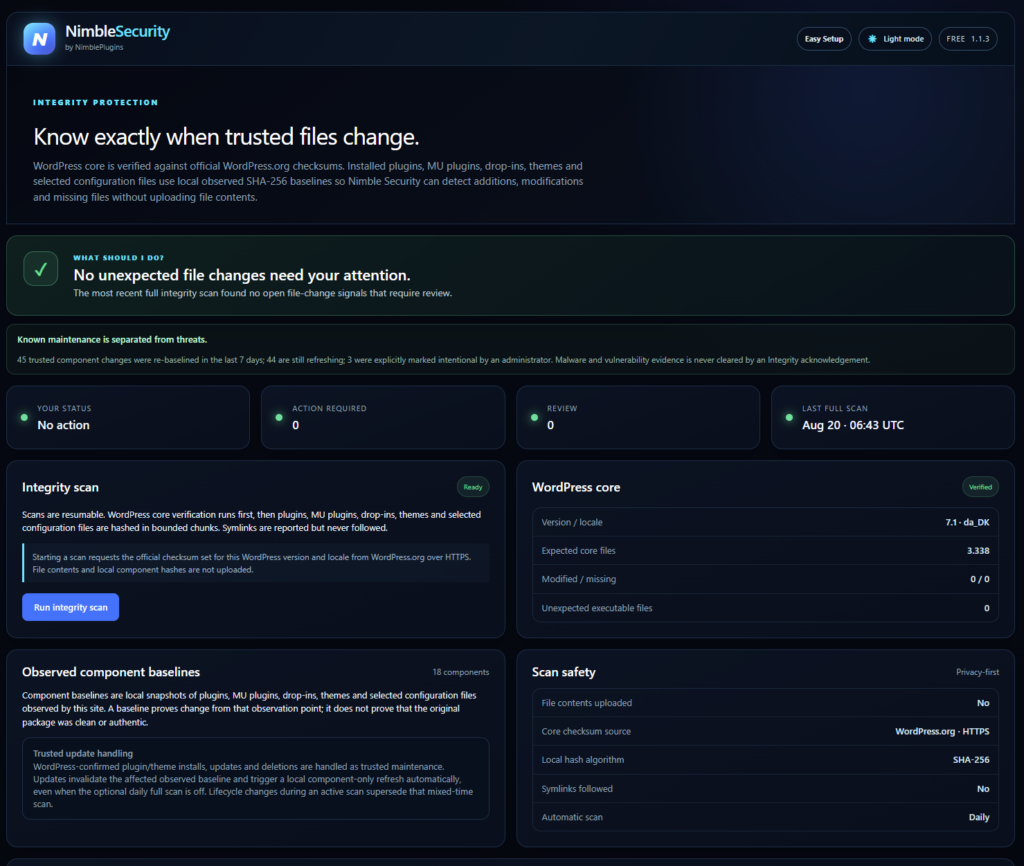
- WordPress core verification against the official checksum service
- SHA-256 file baselines for plugins, themes, mu-plugins, drop-ins and configuration files
- Update Intelligence — confirmed WordPress maintenance is correlated instead of reported as a compromise
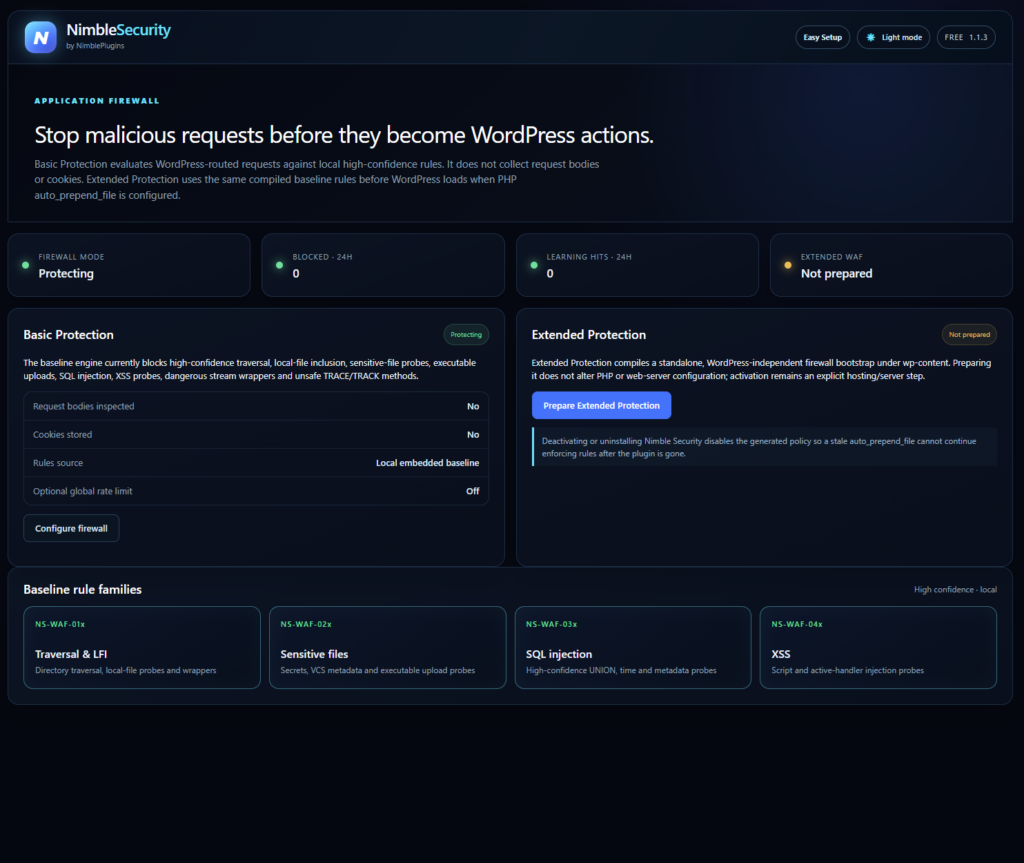
- Web application firewall in Protect, Learning or Off mode, with twelve high-confidence rules
- Every firewall rule is enforced through WordPress — no generated PHP file and no change to your server configuration. The optional pre-WordPress layer via auto_prepend_file, Extended Protection, ships with Pro
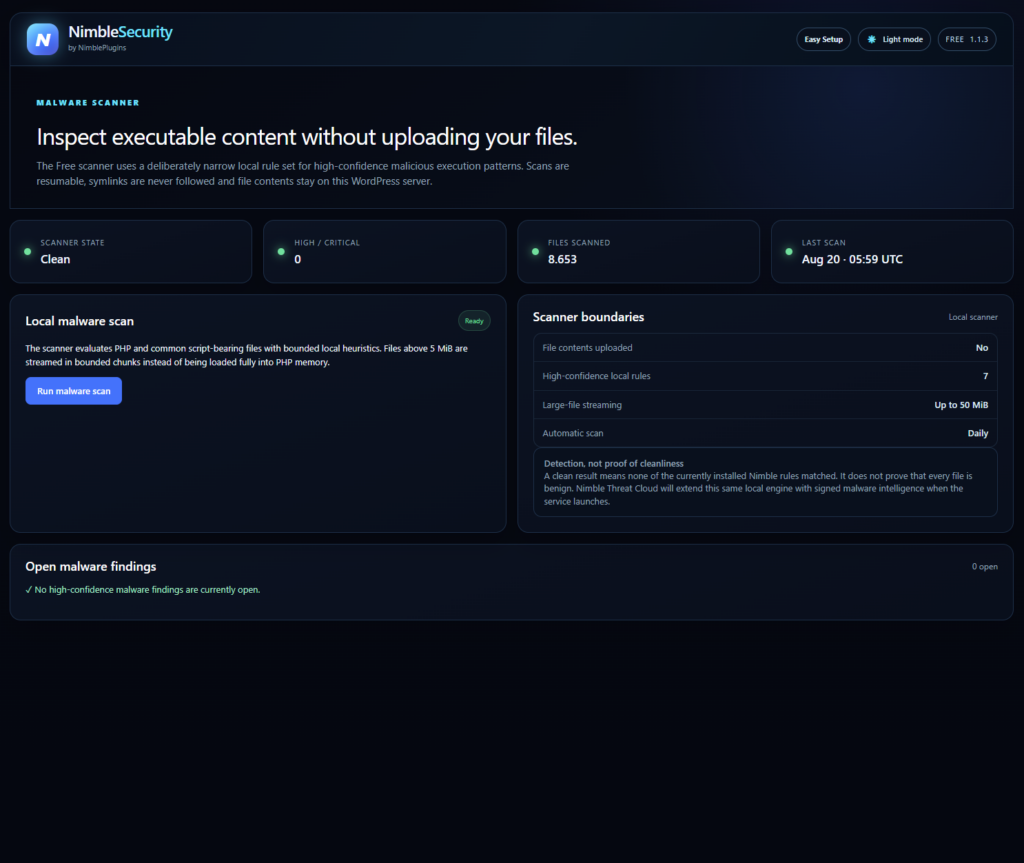
- Local malware scanning with resumable workers and a watchdog that restarts a stalled scan
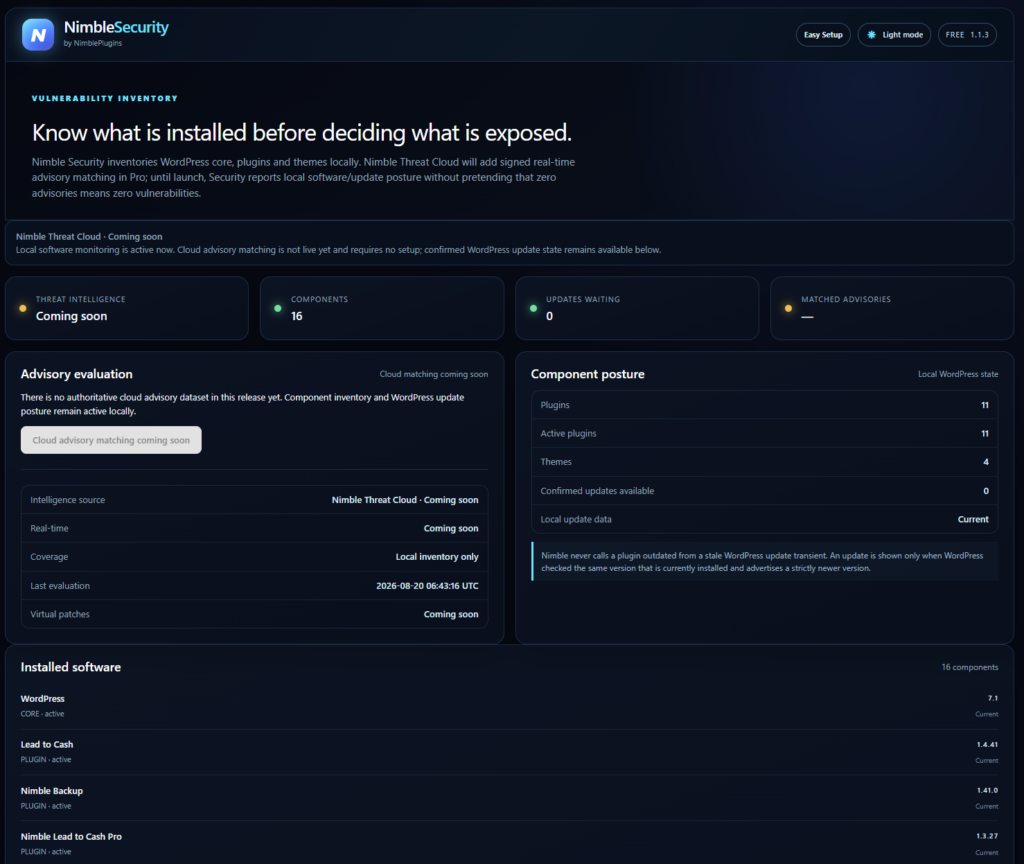
- Software inventory for core, plugins and themes
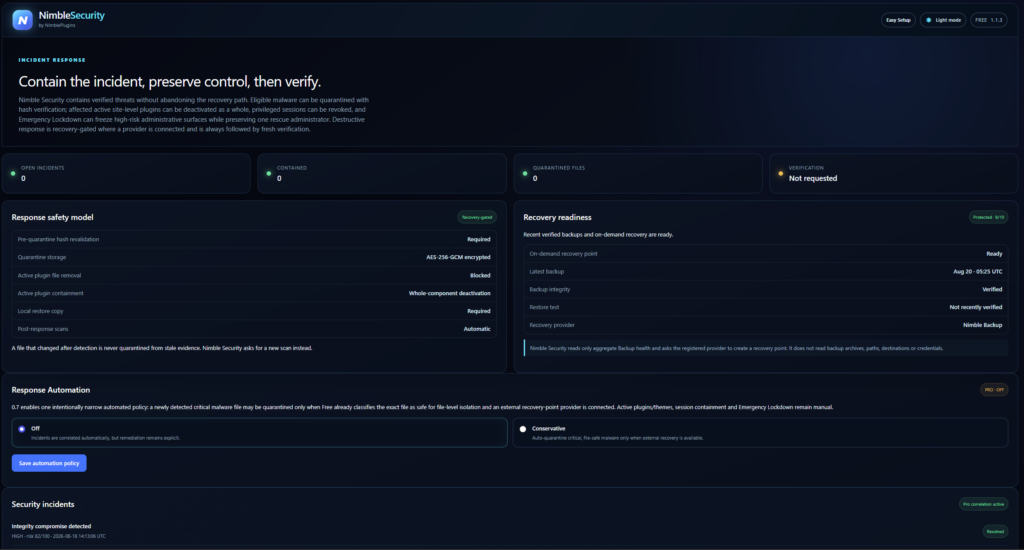
- Encrypted quarantine, component containment and Emergency Lockdown
- Recovery Readiness scoring from your backup provider
Watch Nimble Security
Start with the overview, or choose a short video about one feature. These walkthroughs show Security Free.
Protection that tells you the truth
Explore the security overview, login protection, file integrity, firewall and malware scanning in Free.
2:53 · English audio · YouTube
Short feature walkthroughs
Getting started
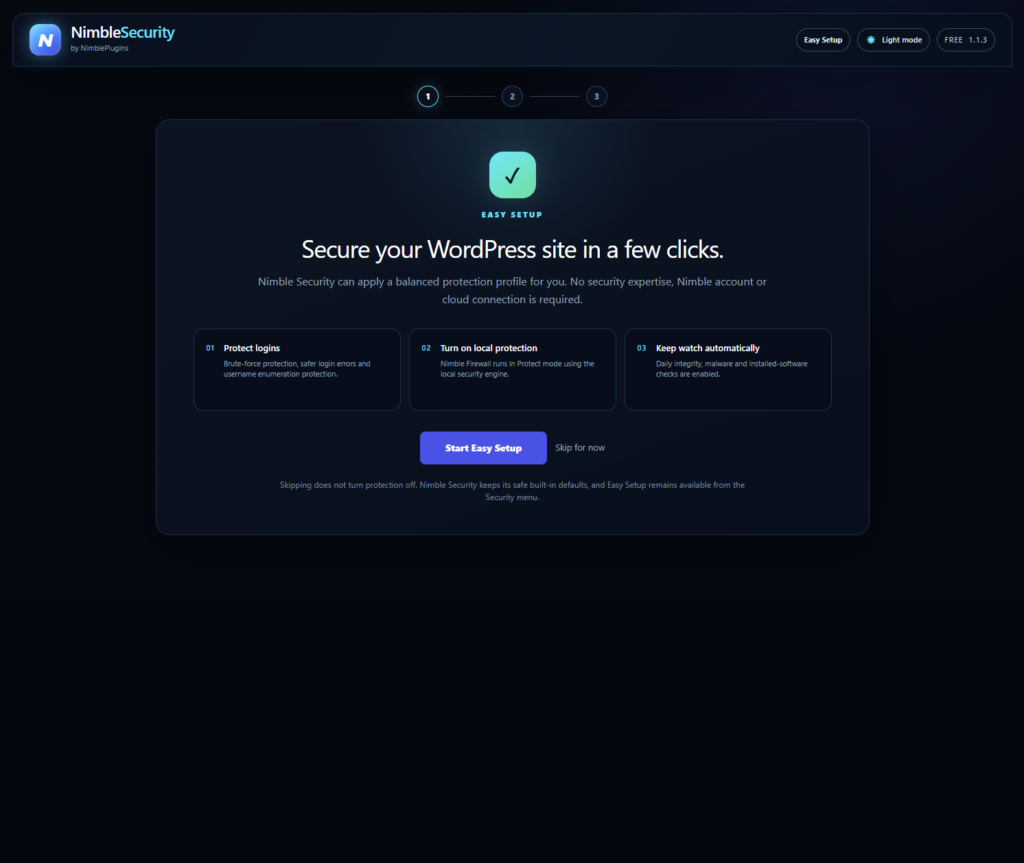
Light and dark mode, Easy Setup and the security overview.
0:56 · English audio · YouTube
Identity and logins
Review login protection and identity controls.
1:03 · English audio · YouTube
File integrity
Review file changes and integrity scan results.
1:03 · English audio · YouTube
The firewall
Explore the firewall controls and recorded events.
0:59 · English audio · YouTube
Malware scanning
Review the malware scanning screen and its results.
0:55 · English audio · YouTube
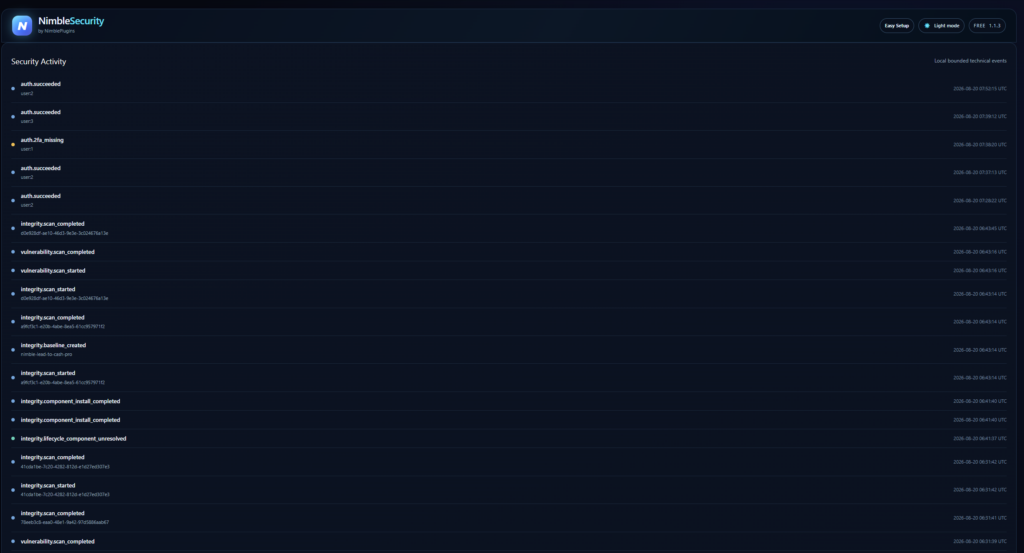
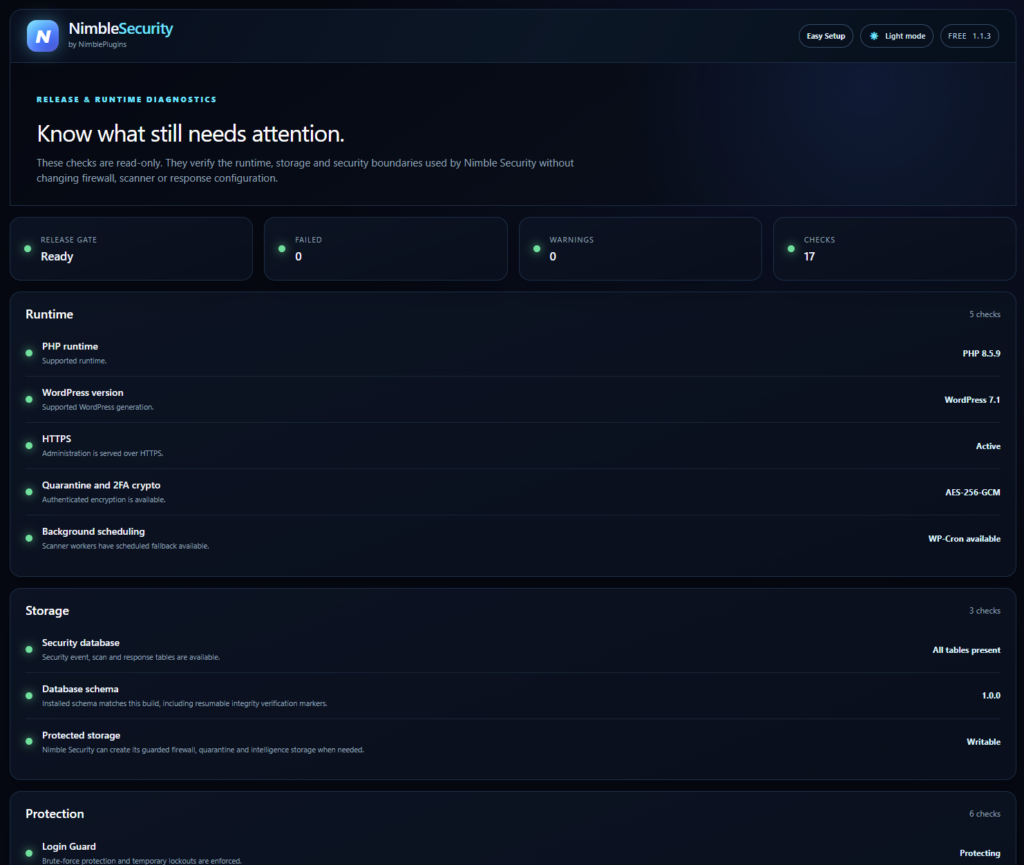
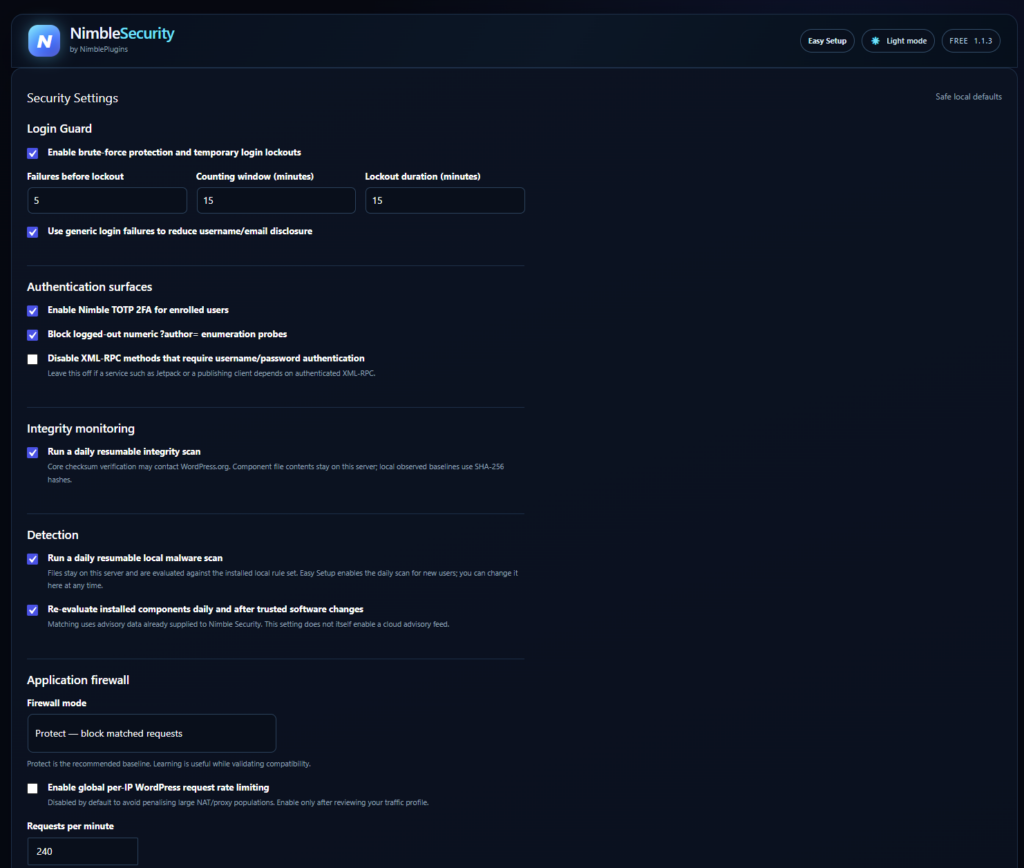
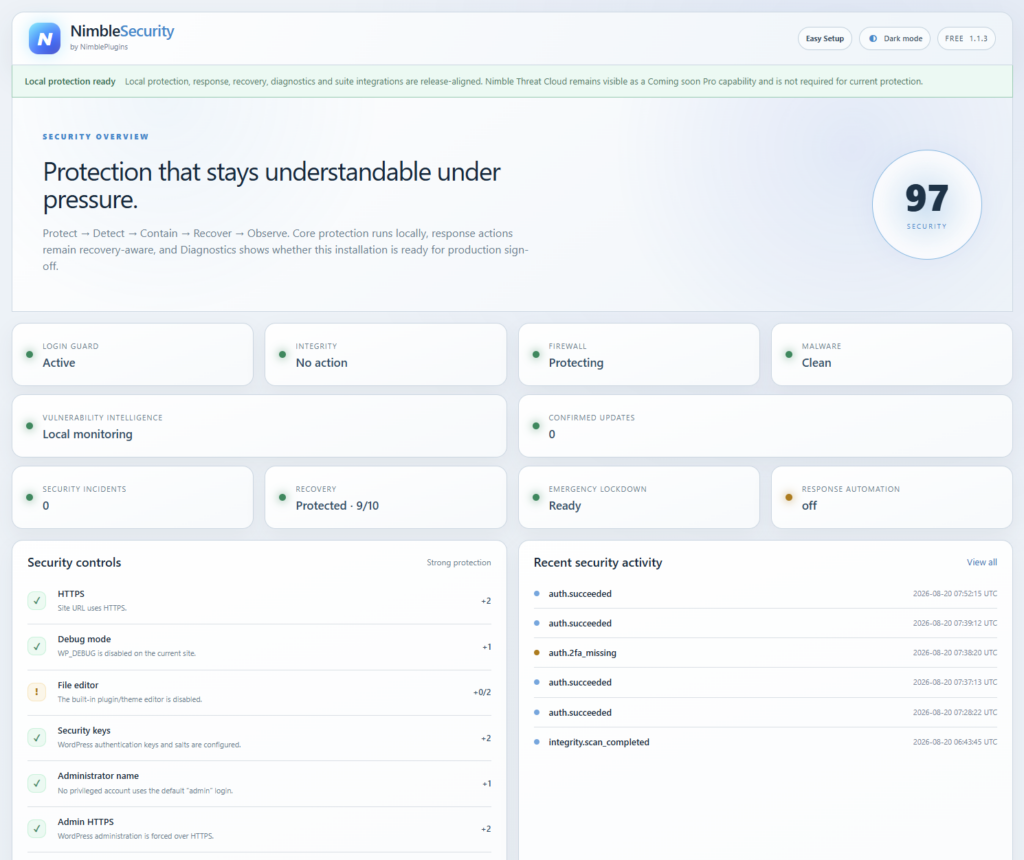
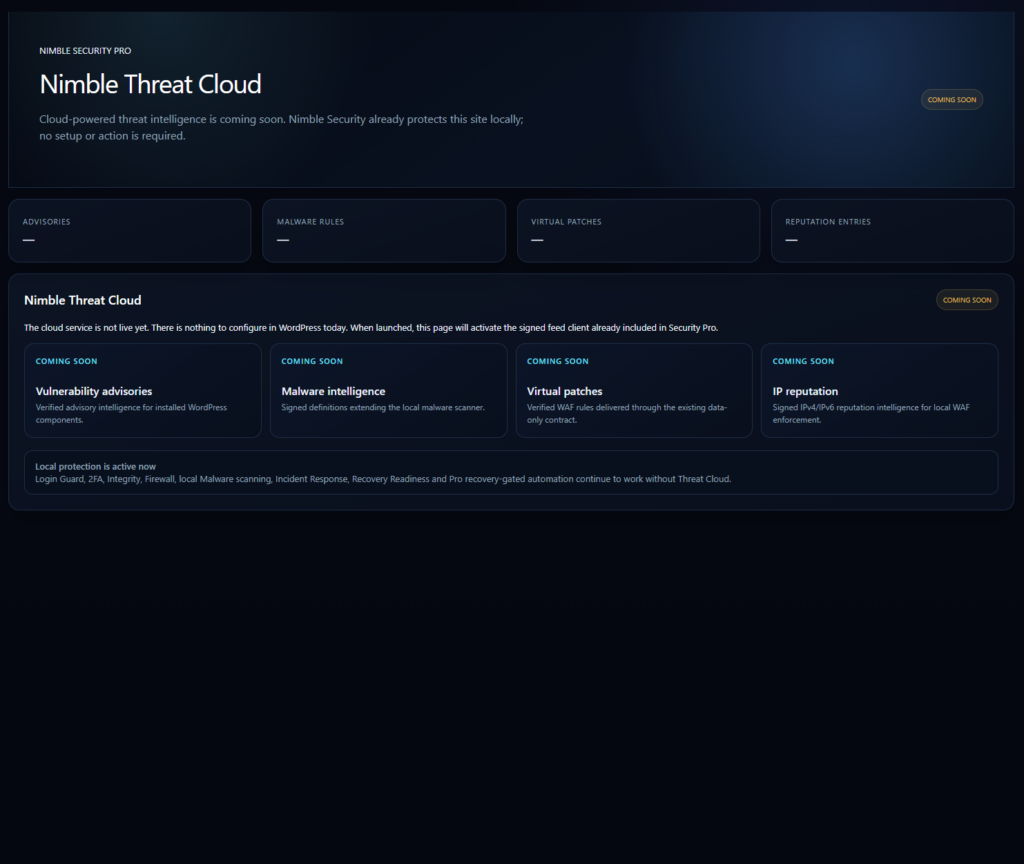
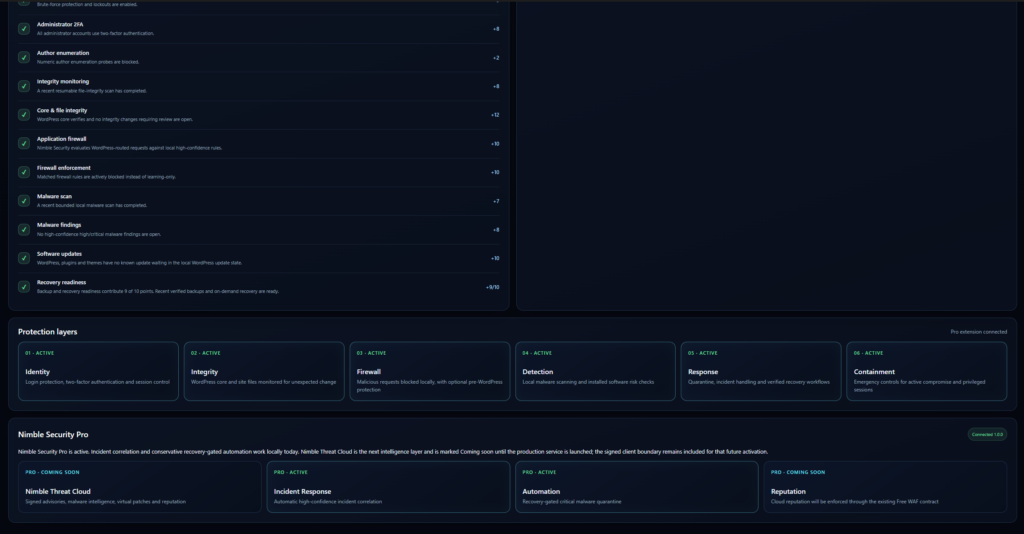
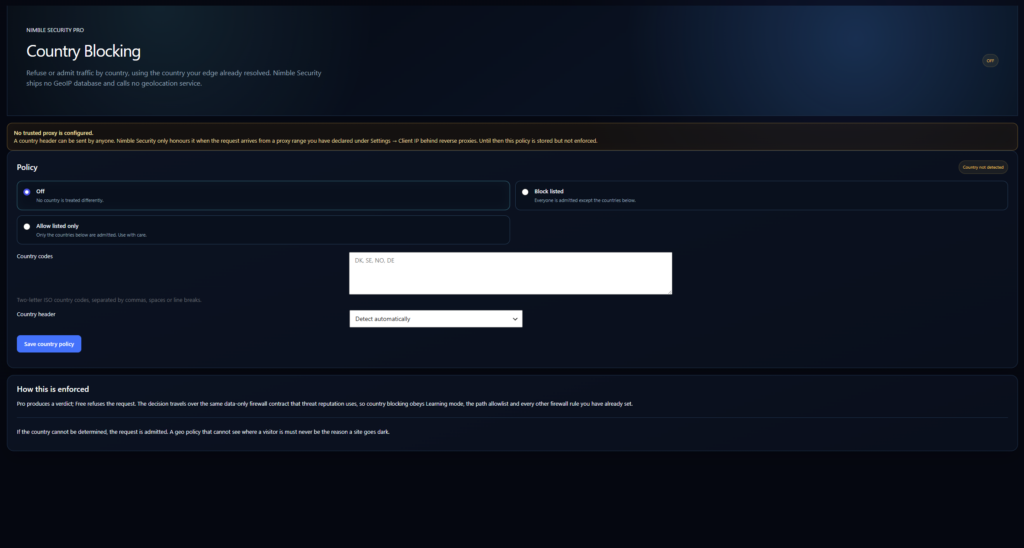
Every screen, on your own server
No dashboards hosted somewhere else, no data shipped off-site. This is the whole interface, running in your WordPress admin.
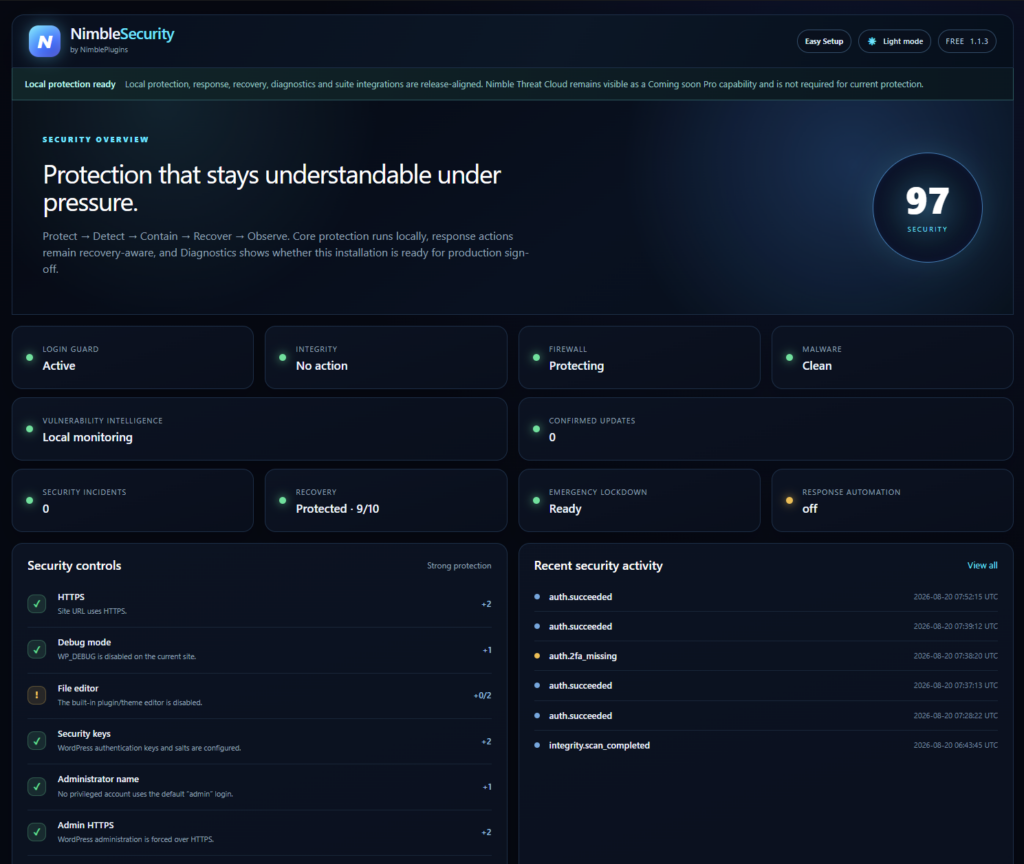
Free does the work. Pro does the judgement.
Pro extends Free without replacing any part of it. Free stays the owner of every enforcement engine and all security state.
Free
Identity, integrity, firewall, malware scanning, quarantine, incident response and Security Score. Complete on its own, forever.
Pro
Automatic incident correlation and conservative, recovery-gated response automation — plus the signed Nimble Threat Cloud client, ready for launch.
One key, one activation per installation, and a slot released the moment you deactivate — so rebuilds and migrations never cost you a licence. A WordPress multisite network counts as a single installation, however many sites it holds.
Where the line actually falls
Free is not a demo. It owns every enforcement engine on the site — detection, blocking, quarantine, containment and recovery gating. Pro does not unlock protection that was being withheld; it adds judgement on top of protection that was already running.
| Capability | Free | Pro |
|---|---|---|
| Identity | ||
| Brute-force lockouts and generic login errors | ✓ | ✓ |
| Two-factor authentication with recovery codes | ✓ | ✓ |
| Session control and application-password auditing | ✓ | ✓ |
| Detection | ||
| WordPress core checksum verification | ✓ | ✓ |
| File integrity baselines and Update Intelligence | ✓ | ✓ |
| Web application firewall, twelve built-in rules | ✓ | ✓ |
| Extended Protection before WordPress loads | — | ✓ |
| Local malware scanning | ✓ | ✓ |
| Software inventory for core, plugins and themes | ✓ | ✓ |
| Response | ||
| Encrypted quarantine and restore | ✓ | ✓ |
| Component containment and Emergency Lockdown | ✓ | ✓ |
| Recovery gating before destructive action | ✓ | ✓ |
| Incident creationFree creates an incident when you act. Pro correlates high and critical malware, integrity, vulnerability and authentication events into incidents on its own, and groups repeats instead of duplicating them. | Manual | Automatic |
| Response automationOne narrow policy: auto-quarantine of a critical malware file, only when Free already rates that exact file safe to isolate and a recovery provider is connected. | — | Conservative |
| Threat intelligence | ||
| Vulnerability advisoriesFree tells you what is installed and does not pretend to ship a live advisory feed. Pro contains the verified client; the Nimble Threat Cloud service has not launched yet. | Inventory only | Feed-ready |
| Malware definitions | Local rules | Local + feed-ready |
| Virtual patches and IP reputationEnforced by the Free firewall once the service is live. | — | Feed-ready |
| Signed feed client with Ed25519 verificationShipped and inert until Threat Cloud launches. No endpoint or key is bundled. | — | ✓ |
| Elsewhere | ||
| Security Score and Recovery Readiness | ✓ | ✓ |
| Operations health contract | ✓ | ✓ |
| Diagnostics | Runtime and protection checks | + Pro checks |
Nothing above is disabled in Free to make Pro look better. If a capability is missing from Free, it is because it does not exist yet in either edition.
Where to get it: download Nimble Security from WordPress.org — the complete protection layer, free and without an account — or add Security — Free to a NimblePlugins account for repeat downloads. The separate add-on is described on Security — Pro, with 10 installations and unlimited installations for larger estates.
A security plugin that refuses to cry wolf
Most of the cost of a security plugin is not the licence. It is the time you lose to false alarms, and the damage done by a tool that removes the wrong file.
- Changed file does not mean malware. A modified .htaccess or cache drop-in is presented for review, not labelled a compromise. You can mark recognised changes intentional — but core checksum failures and strong evidence can never be dismissed that way.
- Nothing destructive without a way back. Before a file is quarantined it is re-hashed, so a file that changed after detection is never removed on stale evidence. A recovery point is requested first, the vault copy is verified, and a fresh scan follows automatically.
- Containment over surgery. Malware inside an active plugin deactivates the whole plugin rather than deleting a file out from under running code.
- You cannot lock yourself out. Emergency Lockdown freezes plugin installs, file edits, application passwords and user creation — while preserving exactly one rescue administrator session.
- An honest score. Security Score caps itself while a high or critical incident is open, so a site under attack can never show a comfortable number.
Your security data never leaves your server
Scanning runs locally and file contents are never uploaded. Security events store no request bodies, cookies or credentials, and network actors are recorded as keyed hashes rather than raw IP addresses. Two-factor secrets are encrypted at rest and excluded from WordPress personal-data exports.
The only outbound request Nimble Security Free makes is to the official WordPress.org checksum service, and it sends nothing but your WordPress version and locale.
Three products, one loop
Security detects and contains. Backup makes containment safe to attempt. Operations tells you the state of all of it. Each link is a narrow, documented contract — not a shared database and not a bundled dependency.
Nothing destructive without a way back
Security refuses to be the reason you lost a site. Before it removes a file, it asks the registered recovery provider for a fresh recovery point.
- A recovery point is requested before quarantine and before component containment
- Pro’s automated quarantine will not run at all unless a provider is connected — it records the action as skipped instead
- Backup’s aggregate health feeds a 10-point Recovery Readiness score, which is part of your Security Score
- Age of the last backup, verified integrity, writable storage, schedule state and restore testing each move that score
Security reads aggregate health only. If Backup’s contract ever reported archive contents, file paths, destinations, credentials or transfer tokens, Security discards the whole thing and scores it as unavailable. It never reads a backup archive.
Security state, without the security data
Operations watches your site’s health. Security hands it a bounded, read-only summary through health contract 1.11 — and nothing else.
- Security Score, protection states, firewall mode and 24-hour counters
- Scan freshness, open finding counts by severity and incident state
- Recovery Readiness, so a weak recovery position shows up in your health dashboard
- Emergency Lockdown state, including when it has been bypassed by constant
What Operations never receives: file contents, file paths, raw IP addresses, request bodies, credentials, two-factor secrets or quarantine payloads. The contract carries aggregate technical status, and the boundary is enforced in Security’s code rather than by agreement.
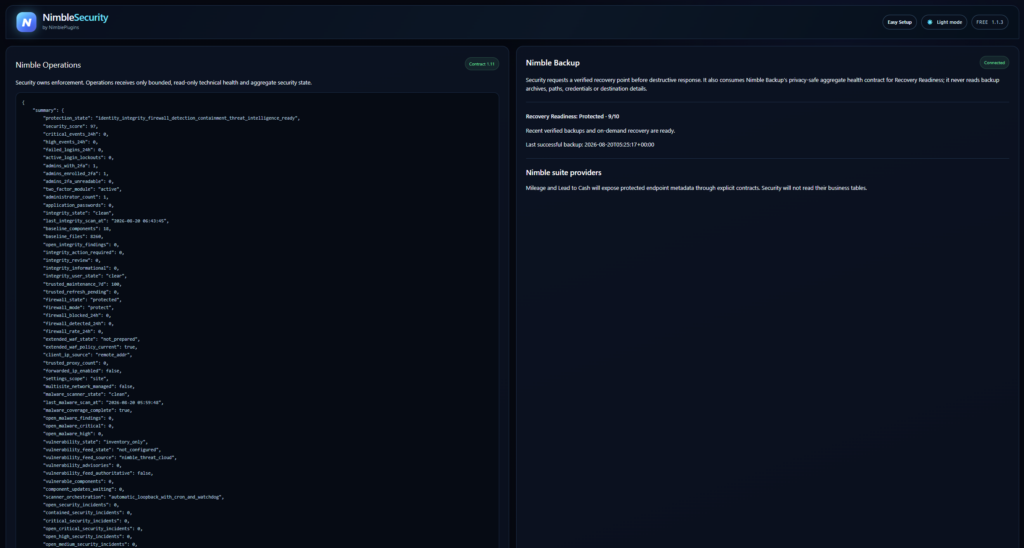
Each product works alone. Install two and the contract activates itself — there is nothing to configure, and no account ties them together.
Works better together
Security stands on its own, and connects with the rest of the modular NimblePlugins platform. It asks Nimble Backup for a verified recovery point before it removes anything, and reports privacy-safe aggregate health to Operations.
Understand WordPress file integrity
Learn how core checksums and local baselines help you investigate changed files.