Skip to content
NimblePlugins

Free WordPress Backup & Migration Plugin

⚙
PLATFORM TOOL

Nimble Backup

by NimblePlugins
100% FREE. FOREVER.

No Pro tier. No premium upsell. No catch — full migration and backup, completely free.

Free WordPress backup and migration, with storage you control.

One tool, two jobs: migrate a full WordPress site between servers with no FTP, and keep this site backed up on a schedule, verified, with copies off-site to storage you own — all from inside wp-admin.

Video walkthroughs

Watch Nimble Backup

Start with the overview, or choose a short video about one feature. All features shown are included in Nimble Backup Free.

Migration and backup, in one plugin

Explore backup coverage, off-site destinations and migration controls — all included in Free.

2:37 · English audio · YouTube

Short feature walkthroughs

What a backup covers

Choose the whole site or selected parts and review the backup plan.

0:57 · English audio · YouTube

Schedules and retention

Review daily and weekly schedules, retention and the WordPress scheduler.

0:54 · English audio · YouTube

Off-site storage

S3-compatible storage, Dropbox, Google Drive and OneDrive or SharePoint are included in Free.

1:05 · English audio · YouTube

Preparing to restore

Review saved archives and restore controls. This walkthrough covers preparation, not a completed restore.

1:05 · English audio · YouTube

Preparing a migration

Review the source and destination controls. This walkthrough covers preparation, not a completed migration.

1:01 · English audio · YouTube

PRODUCT PREVIEW

See it in action

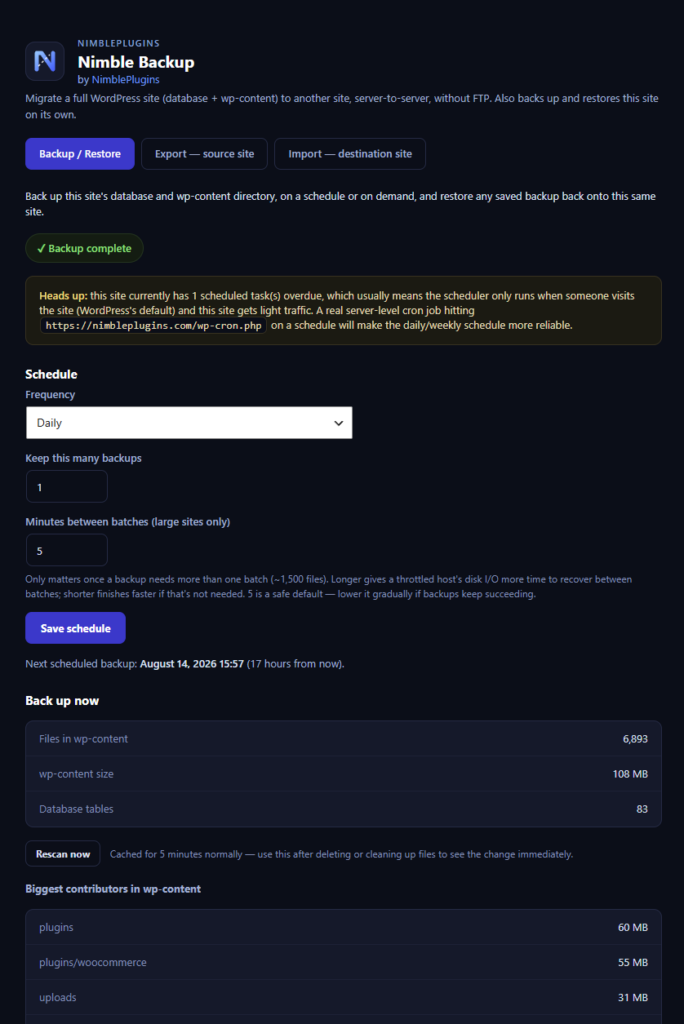
Nimble Backup admin screen showing a completed backup, schedule settings, and a file scan of wp-content
Backup & restore
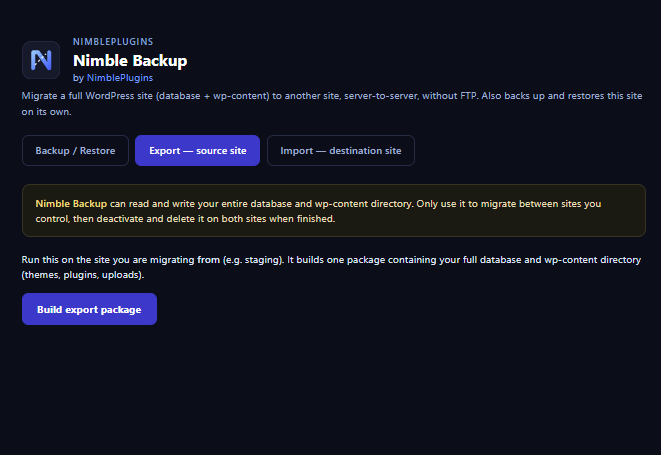
Nimble Backup export tab on the source site, building a full migration package
Export
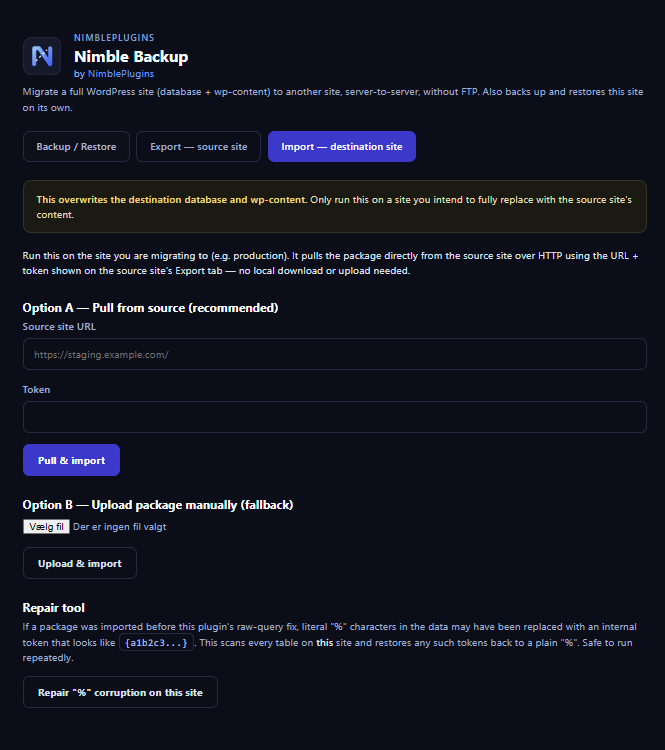
Nimble Backup import tab on the destination site, pulling the package from the source
Import
WHAT YOU GET

Migration and backup, in one plugin

✓ Server-to-server migration, no FTP
✓ Secure, expiring transfer tokens
✓ Serialization-safe URL rewriting
✓ Database + wp-content, one archive per part
✓ Scheduled backups, daily or weekly
✓ One-click backup on demand
✓ Restore a whole backup or a single part
✓ Configurable backup retention
✓ Off-site copies to storage you own
✓ Verified archives and pre-restore safety point

HOW IT WORKS

Migration — move a site from A to B

1 Build a package on the source site (database + wp-content)
2 Pull it into the destination site over a secure token
3 URLs are rewritten automatically, serialization-safe
4 Review the result, then remove the plugin from both sites

HOW IT WORKS

Backup & Restore — protect this site over time

1 Set a schedule (daily/weekly) or back up on demand
2 Each run writes one archive per part — database, plugins, themes, uploads and the rest of wp-content — kept together as one backup
3 New archives are verified before a run counts as successful, and older recovery points are pruned to your retention setting
4 Optionally send each finished copy off-site to storage you own, and bring it back down when you restore from there
5 Restore a whole backup or a single part. Backup creates a verified safety point first and stops if it cannot

OFF-SITE STORAGE

Off-site WordPress backups — your account, your keys

✓ S3-compatible storage: Amazon S3, Backblaze B2, Wasabi, Cloudflare R2, DigitalOcean Spaces, Hetzner or your own MinIO
✓ Dropbox, Google Drive and OneDrive/SharePoint
✓ Nothing is sent anywhere until you set a destination up, and nothing passes through NimblePlugins
✓ Dropbox, Google Drive and OneDrive each need an app registered by you, with keys you enter yourself — the plugin ships none
✓ Archives are sent a piece at a time and resume where an interrupted run stopped
✓ The secret key is stored encrypted with a key derived from this installation’s own salts
GOOD TO KNOW

What it does not cover

· Only the database and wp-content are covered — WordPress core is not backed up or restored, and nothing is written to wp-admin, wp-includes or the site root
· WordPress Multisite is not supported yet — backup, restore and migration are deliberately disabled there
· A local backup sits on the same server as the site, so an off-site destination is what protects you if the disk or the hosting account goes away
THE NIMBLEPLUGINS ECOSYSTEM

Works better together

Nimble Backup keeps every NimblePlugins product safe underneath it — and connects with the rest of the modular platform.

Lead to Cash
Operations
Mileage
Security